Published November 14, 2026. By Will Tygart · Restoration Intel Editorial Desk.
Direct answer. Restoration loss sites routinely sit inside shielded concrete basements, steel warehouses, and rural dead zones — making durable local-first offline storage, smart edge image resizing, resumable chunked uploads, and zero-loss sync verification non-negotiable engineering requirements.
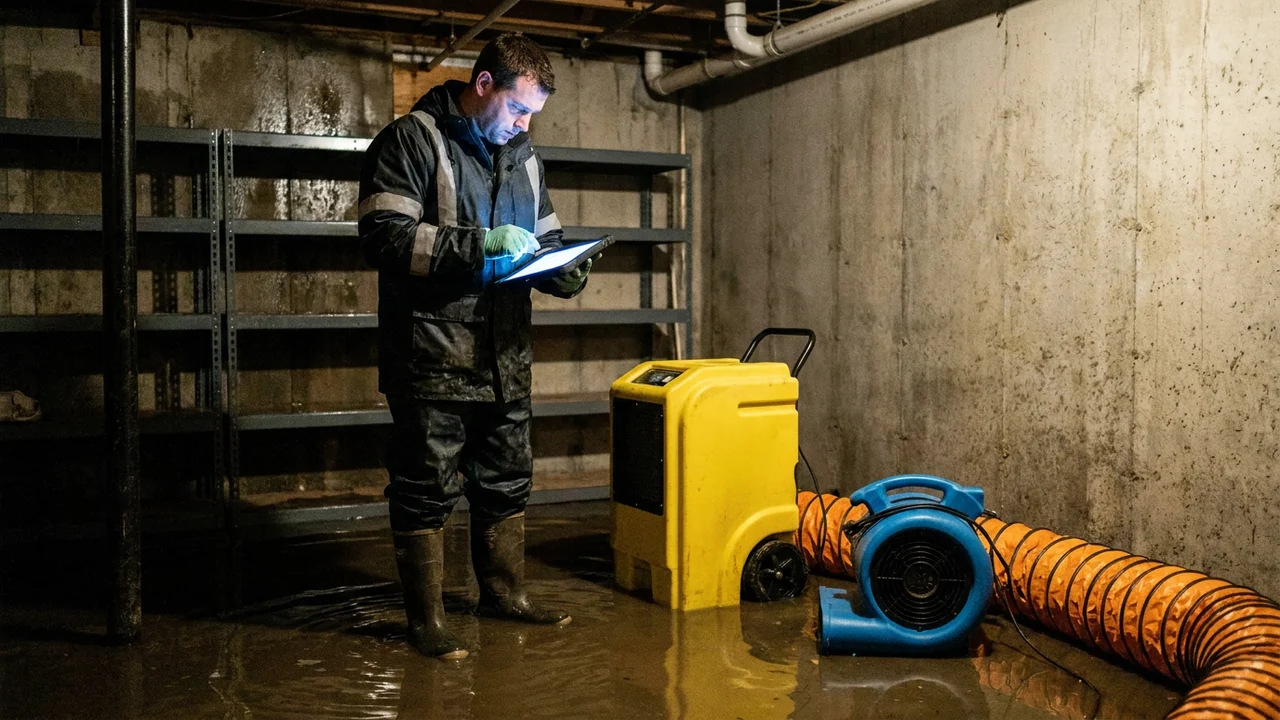
Cloud AI pipelines live in well-connected data centers, yet property damage happens inside poured concrete sub-basements, steel-skinned agricultural shops, burnt multi-story elevator shafts, and rural counties with one flickering LTE bar. Nothing kills field team adoption faster than watching forty-five minutes of meticulous garage video vaporize inside a spinning `Uploading… Connection Lost` modal.
Field-ready capture tools must behave like rugged data loggers first and AI clients second. Until every captured photo, audio clip, and box barcode persists safely on local flash storage with resumable chunk uploads and clear operator sync receipts, cloud features mean nothing on site.
Field Connectivity Failure Modes & Engineering Safeguards
| Dead-Zone Failure Mode | What Goes Wrong on Cheap Cloud Apps | Production Field Consequence | Required Engineering Safeguard |
|---|---|---|---|
| 1. Basement Upload Lockout | App insists on streaming photos live to server before saving or advancing rooms | Crew stalls waiting at cellar doorway; missed deadlines | Strict local-first write: zero live network calls needed during active room capture |
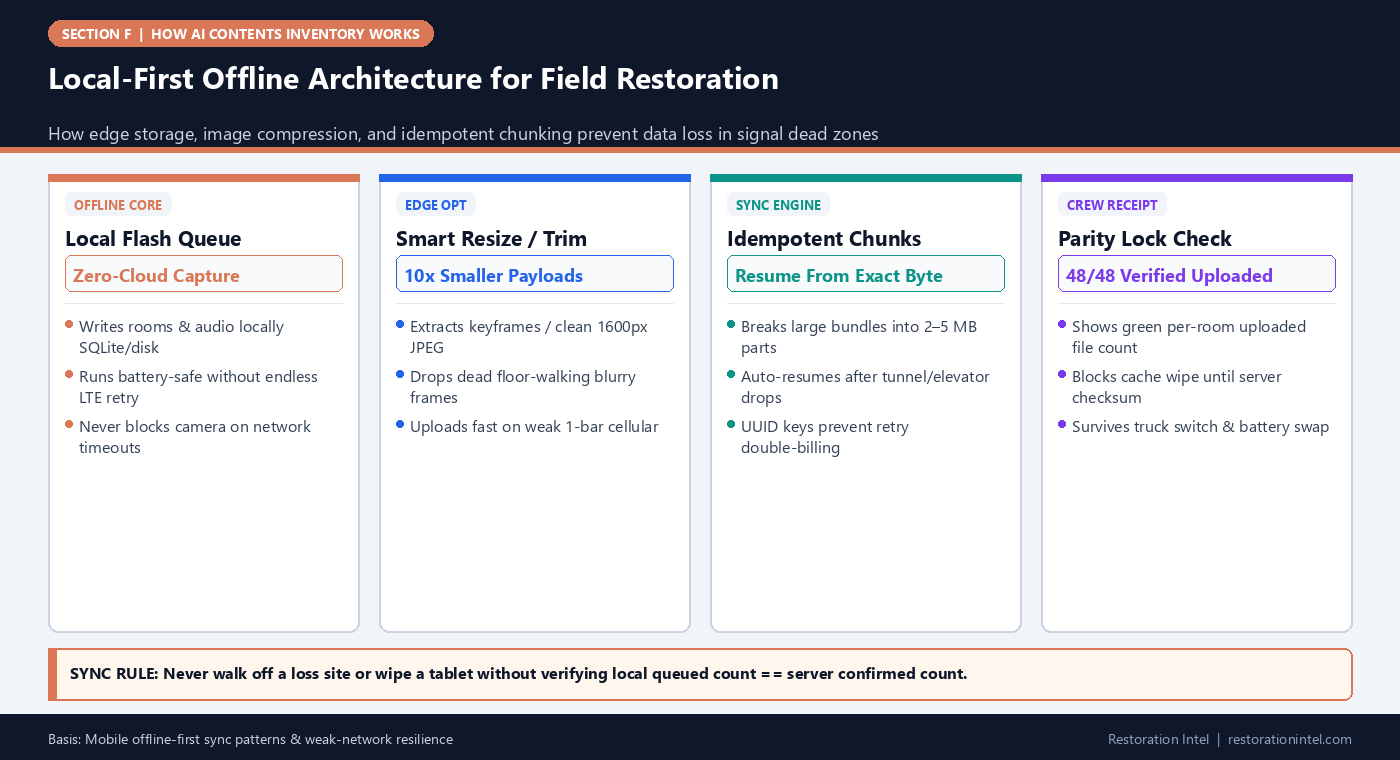
| 2. Monolithic Video Timeout | Single 800MB MP4 drops at 89% over flickering LTE and restarts from 0% repeatedly | Kills battery + leaves jobs half-uploaded overnight | Multipart chunked upload (2–5 MB segments) with SHA/ETag resume |
| 3. Duplicate Upload Retries | Timeout triggers automatic second submit creating duplicate server jobs | Phantom double counts infiltrate kitchen/garage schedules | Client-generated idempotency UUID per capture batch & frame hash dedupe |
| 4. Premature Local Cleanup | Phone OS storage pressure clears app cache before background upload finished | Permanent unrecoverable loss of pre-disposal photos | Lock captured assets in persistent app documents folder until server ACK hash returns |
Why Uncompressed 4K Media Chokes Real-World Crew Workflows
Shooting ten minutes of raw 4K video plus eighty 12-megapixel photos on a three-tech estate job easily generates four to five gigabytes of payload per shift. Trying to push five gigabytes through an overloaded regional cellular tower inside a storm catastrophe zone (when neighboring residents and adjusters saturate the exact same cell band) stalls for hours.
Smart mobile clients process compression gracefully at the edge: keeping original rating-plate macro shots crisp at full resolution while re-encoding bloated walkthrough streams or extracting deduplicated sharp keyframes locally before transmission.
- Airplane-mode stress test: Before deploying any field app across your crew, flip a phone into Airplane Mode, record three rooms + audio + stills, kill/reopen the app, reconnect Wi-Fi, and verify zero dropped frames.
- Verify dual-battery workflow: Continuous capture + GPS/radio heat drains batteries rapidly; supply rugged PD power banks and disable aggressive background-sync OS throttling on crew tablets.
Eliminating Silent Half-Synced Batches Before Vault Intake
The most insidious sync failure isn’t a hard crash — it’s an upload queue sitting quietly at `37 of 44 photos synced` in a technician’s pocket tablet all weekend while estimators back at the office start pricing an incomplete basement. When estimating teams miss those final seven high-res macro photos, entire appliance or garage wall categories vanish from initial schedules and force expensive vault digs.
Teams need a crisp visible parity badge (`Bedroom 2: 28/28 Cloud Verified`) and an operational rule banning crew tablets from staying un-synced past shift return onto shop Wi-Fi. Running an automated end-of-day shop Wi-Fi docking ritual guarantees every single device clears pending queues cleanly before battery sleep kicks in.
- Display per-room uploaded vs local file counts (`28/28 Synced`) boldly inside mobile status headers rather than burying failed uploads in logs.
- Require crew leads to inspect green all-room sync checkmarks before wiping loaner crew devices between storm deployments.
Resilience Under Catastrophe Storms & Steel Clinics
Across storm CAT events or concrete hospital sub-levels, never trust mobile LTE alone. A reliable offline queue turns field devices into resilient capture nodes that sync cleanly once vehicles hit corridor fiber or office Wi-Fi without delaying pack-out crews a second.
Field Execution Checklist
- Run the Airplane-Mode Test on any capture app (capture multi-room video/audio/stills completely offline, restart device, then verify 100% clean sync).
- Ensure chunked resumable uploads so multi-hundred-megabyte batches resume gracefully instead of restarting at zero.
- Keep full-resolution clarity on serial rating plates while applying smart edge compression on routine background video.
- Confirm idempotent upload keys prevent retry timeouts from spawning duplicate line items on the backend.
- Require crews to verify green `100% Synced & Server Verified` badges on shop Wi-Fi before wiping or handing off tablets.
Related Restoration Intel Guides & Reference Standards
- Companion Brief (F-04): Continuous Video Keyframe Sampling vs Discrete Still Photography in Contents Capture
- Companion Brief (A-13): How Duplicate Detection Fails During Multi-Tech Re-Uploads and Split-Shift Pack-Outs
- Companion Brief (F-16): How to Evaluate Any AI Contents Inventory Vendor: 12 Verification Questions Beyond Marketing Demos
- Companion Brief (F-01): How AI Contents Inventory Works End-to-End: From Field Capture to Carrier-Ready Schedule
- Companion Brief (A-14): True Cost Inventory Rework Return Trips Supplement Delays
- Primary Authority: ANSI/IICRC S320 Standard for Professional Contents Restoration
- Primary Authority: Restoration Industry Association (RIA)
- Primary Authority: NIST AI Risk Management Framework
Frequently Asked Questions
How do crews verify no photos got stuck offline on a tablet?
Look for explicit per-room Sync Parity counts showing local queued files matching cloud-confirmed count with zero pending queue warnings.
Does airplane mode break barcode or photo timestamps?
No — internal device clocks and local storage record exact capture timestamps offline so timelines stay accurate once synced later.
Why do uploads often fail specifically after storm catastrophes?
Damaged cell towers plus heavy local resident bandwidth congestion drop upload speeds dramatically — local-first queueing + edge compression solves it cleanly.
Can background OS power savers kill queued uploads?
Yes — configure Android/iOS battery optimization exclusions for capture apps so overnight Wi-Fi sync completes cleanly.
.md twin (offline-queueing-edge-compression-sync-flooded-basements.md).