Published November 14, 2026. By Will Tygart · Restoration Intel Editorial Desk.
Direct answer. Continuous video excels at room topology, spatial context, and rapid walkthrough coverage, whereas discrete stills remain irreplaceable for crisp OCR on rating plates, glossy serials, and macro damage proof — making hybrid video+stills workflows superior to relying strictly on either format.
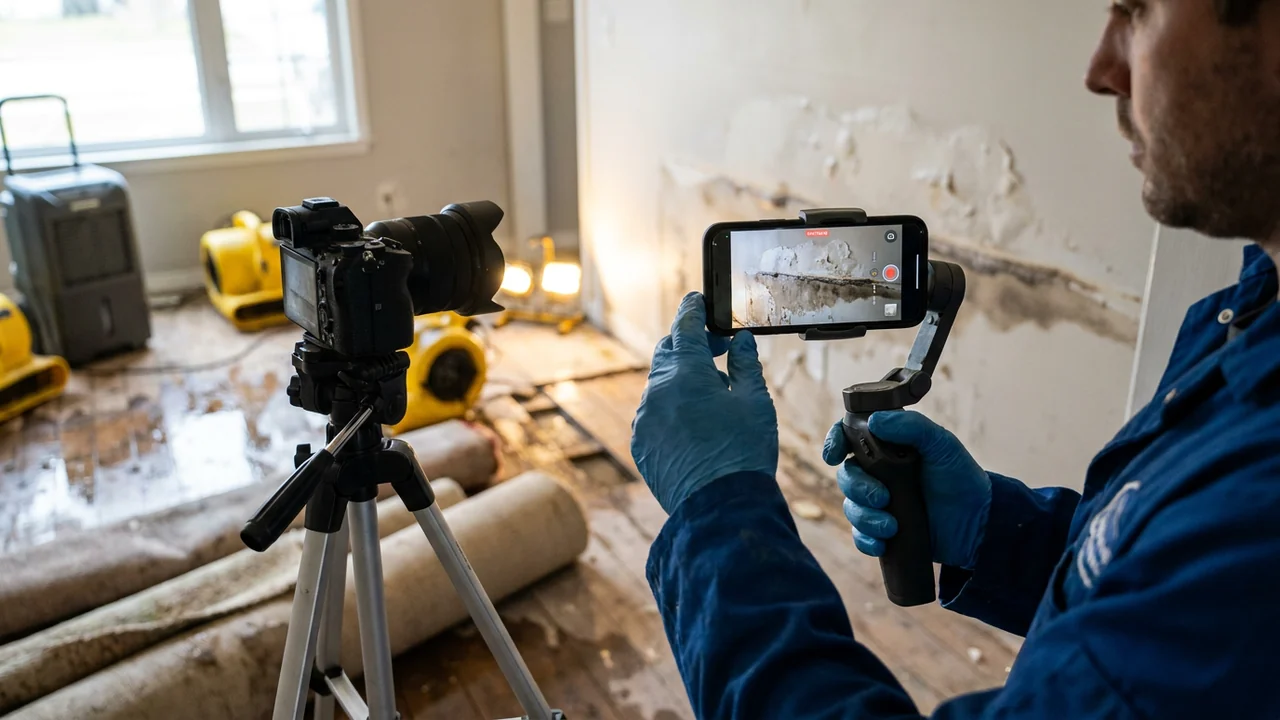
One of the sharpest operational debates in AI field capture asks whether crews should simply walk every room recording 4K continuous video or keep snapping individual high-resolution still frames. Choosing purely video or purely stills leaves predictable gaps in accuracy, battery efficiency, and carrier proof quality.
Even uncompressed 4K video records 30 or 60 frames per second using aggressive inter-frame temporal compression and relatively slow shutter speeds indoors. When a technician walks quickly past a bookshelf, almost every sampled frame carries slight directional motion blur — invisible when playing back at 1x speed on a phone screen, yet lethal when an estimator or OCR engine freezes one frame to read a 6-point serial tag.
Technical Comparison: Continuous Video Keyframes vs. Discrete Still Frames
| Performance Dimension | Continuous 4K Video + Keyframe Extraction | Discrete Multi-Megapixel Stills | Recommended Hybrid Practice |
|---|---|---|---|
| Shutter Motion Blur | Prone to smear inside dim rooms (<1/60s pan drag) | Crisp frame lock when hand steadies 0.5 sec | Walk slowly during pans; pause 1 sec or tap still on details |
| Compression Artifacts | H.264/HEVC temporal P/B-frames smear fine printed fonts | Standalone JPEG/HEIC intra-frame preserves tiny edges | Always save standalone high-res stills for rating plates & art |
| Spatial Room Context | Continuous pan shows how walls, doors & closets connect | Loose JPG grids lose corner continuity if not ordered | Open every room with one slow 360° perimeter sweep |
| Upload Weight in Weak LTE | High (~300–450 MB per minute at 4K30) | Low (~2–4 MB per photo; selective per zone) | Downsample or extract sharp keyframes at edge before cellar sync |
| Carrier Adjuster Review | Examiners hate scrubbing 4-minute MP4 clips blindly | Instant click-through thumbnail proof attached per row | Auto-link crisp extracted keyframes + macro stills to line items |
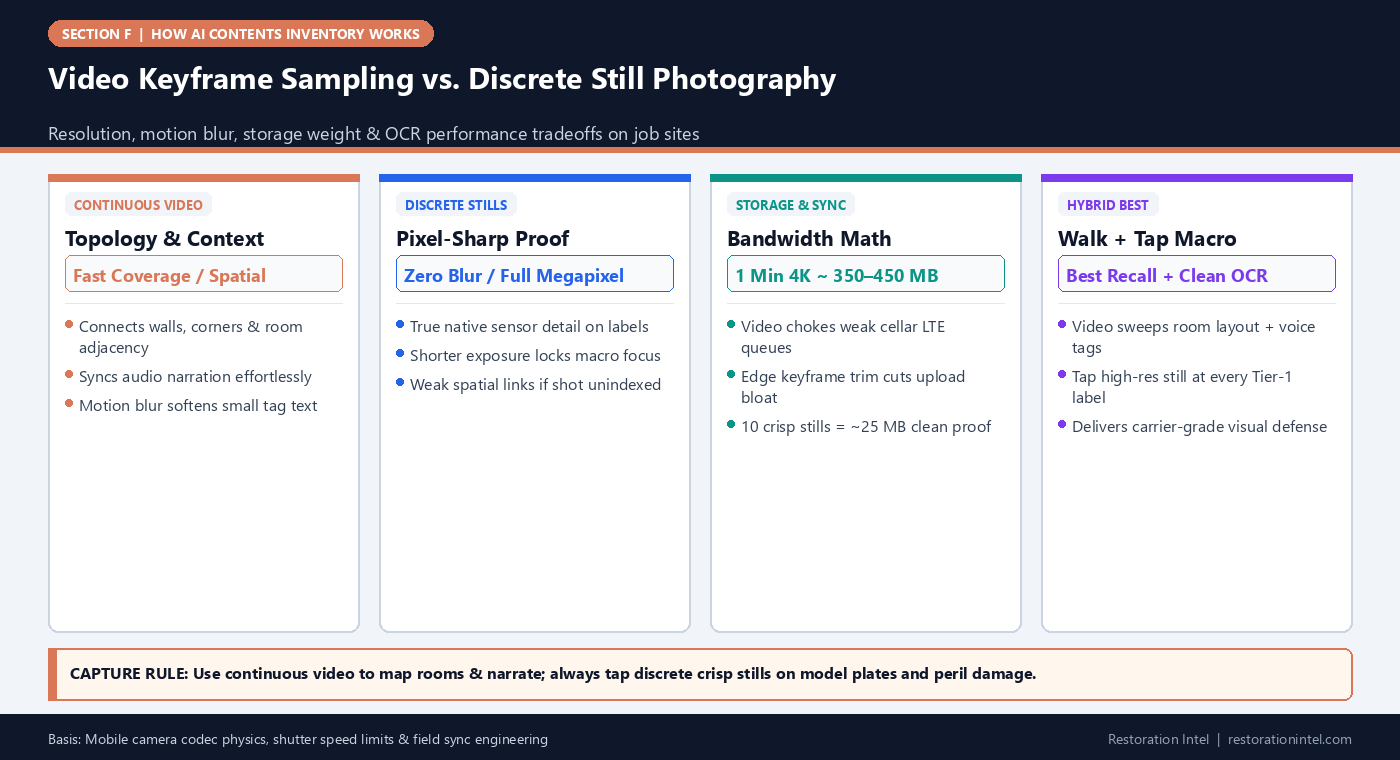
How Keyframe Sampling Selects Frames — and Misses Motion Blur
When an AI backend ingests a five-minute walkthrough video, it does not analyze all 9,000 frames equally. Instead, a sampler picks keyframes periodically (for example every 1.0 second) or filters frames using simple Laplacian blur metrics and optical-flow change checks to cut GPU processing cost.
If a technician tilts past a bookshelf fast between keyframe ticks, critical objects may only sit cleanly centered inside discarded intermediate frames — or every frame near a dim closet turns out slightly blurred. Slower deliberate panning (‘two-Mississippi per shelf bay’) eliminates keyframe blind spots.
- 60fps vs 30fps indoors: Shooting 30fps lets camera sensors gather twice as much light per frame in dark basements compared to 60fps, preserving contrast over ISO static.
- Kill rapid wrist flicks: Pivot with your feet across room walls rather than whipping your wrist left and right.
Why Adjuster Packets Still Anchor on Still Thumbnails
No carrier desk examiner sits inside an XactContents review queue watching raw twenty-minute MP4 files looking for one damaged toaster. When packets ship to adjusters, clean proof means 1:1 cropped still images or extracted crisp keyframes bound directly to numbered invoice lines (Photo-to-Line-Item Traceability).
Apps supporting simultaneous high-resolution still snapping mid-video — or dedicated ‘Macro Tag’ pauses — give crews walkthrough speed without sacrificing crisp macro proof.
Bandwidth & Battery Reality on Multi-Hour Pack-Outs
Continuous 4K recording heats phone processors rapidly and burns 25 to 35 percent battery per hour while stacking multi-gigabyte local files inside spotty basements (Offline Queueing & Edge Compression). Capturing crisp 1080p/4K keyframe clips strictly inside messy rooms paired with quick targeted stills preserves battery and sync reliability all shift long.
Field Execution Checklist
- Sweep rooms slowly (`two seconds per bay`) using horizontal camera pivots to minimize inter-frame motion blur.
- Trigger dedicated discrete macro stills on every appliance rating plate, serial number, artwork signature, and in-place total-loss defect.
- Prefer 30fps indoors over 60fps in dim fire/basement environments so sensor exposure stays brighter and cleaner.
- Keep portable power banks in every crew kit when running continuous multi-room video sweeps.
- Ensure final carrier packets export clean extracted still thumbnails linked per row rather than forcing adjusters to scrub video.
Related Restoration Intel Guides & Reference Standards
- Companion Brief (A-12): OCR and Rating-Plate Readability Thresholds in Damaged Appliances and Mechanical Equipment
- Companion Brief (F-05): How OCR Extracts Brand, Model, and Serial Numbers — and When Soot or Glare Breaks It
- Companion Brief (F-14): Offline Queueing, Edge Compression, and Sync Reliability in Flooded Basements and Rural Dead Zones
- Companion Brief (A-11): Photo-to-Line-Item Traceability Standards for Carrier Audit Readiness
- Companion Brief (F-01): How AI Contents Inventory Works End-to-End: From Field Capture to Carrier-Ready Schedule
- Primary Authority: NIST AI Risk Management Framework
- Primary Authority: Verisk XactContents Platform Overview
- Primary Authority: ANSI/IICRC S320 Standard for Professional Contents Restoration
Frequently Asked Questions
Is 4K video always better than 1080p for AI inventory?
At walking distance on bright rooms 4K captures finer detail, yet inside dark smoky interiors 4K video uses heavy compression and big storage — paused macro stills still beat video for serial tags.
Why do keyframes extracted from phone video look softer than camera photos?
Video codecs prioritize motion smoothing across adjacent frames and drop fine high-frequency chroma detail compared to single-frame JPEG/HEIC computation.
Should crews stop taking stills altogether if using video AI?
No. Keep snapping discrete stills on Tier-1 rating plates, luxury details, and non-salvage peril damage before items move.
How fast should a technician walk during video capture?
Slowly — roughly half normal walking pace, pausing half a beat at open cabinet bays and panning smoothly rather than flicking wrists.
.md twin (continuous-video-keyframe-sampling-vs-discrete-stills-contents.md).